- Published on
- 4 min read
React Keys
- Authors

- Name
- Learna

React keys
What does the key prop do when an array becomes a list of elements?
It lets React associate an item with its previous identity among its siblings.
That matters when inserting, deleting or reordering rows: an input belongs to a
particular item, not to whichever item happens to occupy the same position today.
Rules of keys
- Use an ID from the data. A database ID is often a good choice.
- A key must be unique among siblings, not across the entire application.
- Keep it stable for the lifetime of that item.
Math.random()during rendering creates a new identity every time; the old subtree loses its state and DOM. - An array index identifies a position. It can be acceptable for a genuinely fixed list, but it is the wrong identity for rows that can be inserted, removed or sorted.
A list with index keys
The old illustration used createElement; this complete version keeps that form
and adds inputs so the identity problem is visible. Mount ListWithoutKeys in a
React application. Type a note into Item #0, then press Add to top.
import { createElement, useRef, useState } from 'react';

function ListWithoutKeys() {
  const [list, setList] = useState([{ id: 0, label: 'Item #0' }]);
  const nextId = useRef(1);

  function prepend() {
    // Create identity once, when data is inserted, not during rendering.
    const id = nextId.current++;
    setList((previous) => [{ id, label: `Item #${id}` }, ...previous]);
  }

  return createElement(
    'section',
    null,
    createElement(
      'ul',
      null,
      list.map((item, index) =>
        createElement(
          'li',
          { key: index },
          createElement(
            'label',
            null,
            item.label,
            createElement('input', {
              'aria-label': `Note for ${item.label}`,
              defaultValue: '',
            }),
          ),
        ),
      ),
    ),
    createElement('button', { type: 'button', onClick: prepend }, 'Add to top'),
  );
}
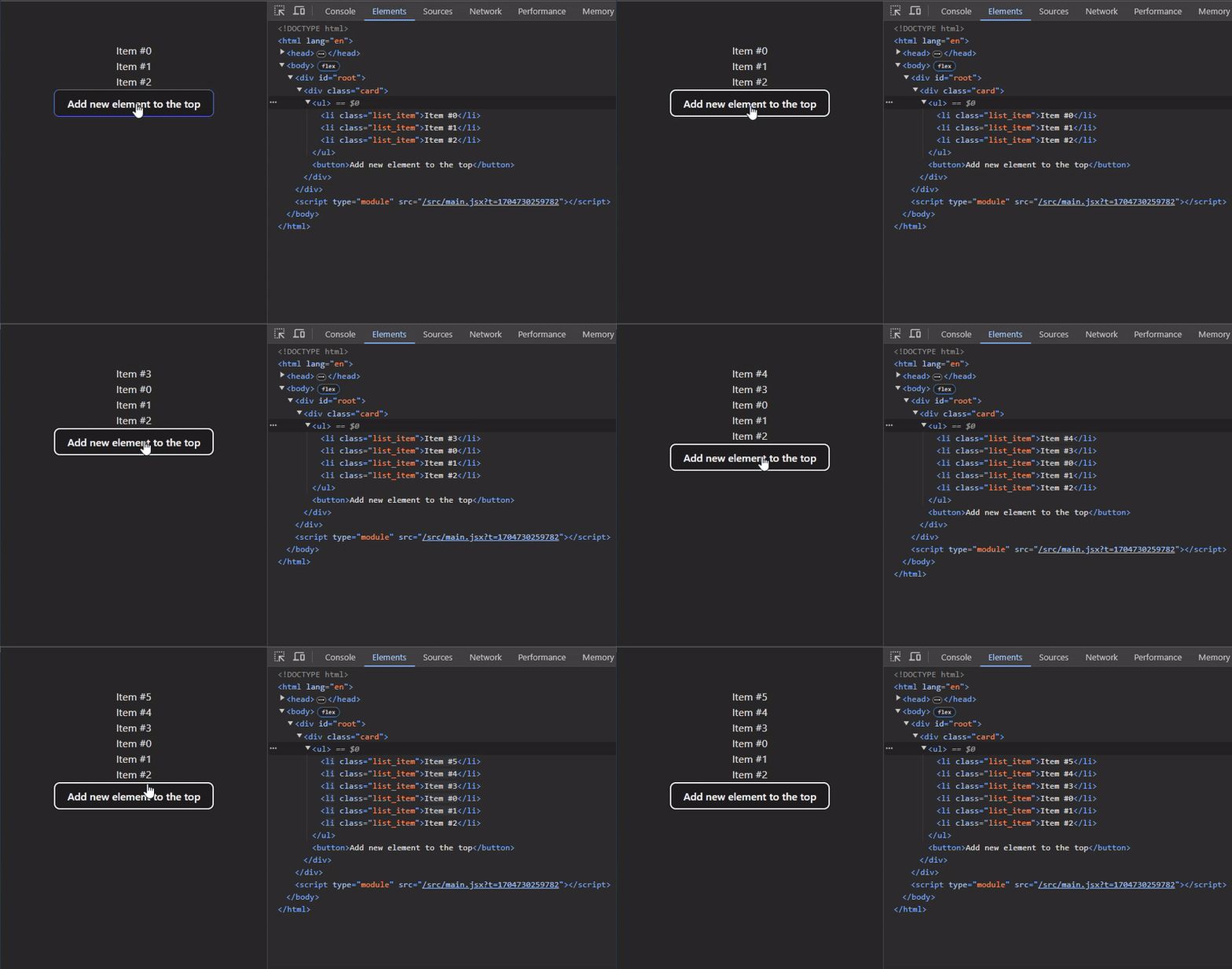
The new first row says Item #1, but its input still contains the note meant for
Item #0. React reused the input at key 0 for the new first item. The old item moved
to index 1, so it received a different input. This is a data-association bug, not
just a question of how fast the list renders.
Preserve the item's identity
Use item.id instead. The counter is local demonstration data; in a real list,
prefer the persistent ID supplied with the item. For client-created records,
create and store an ID at insertion time. Do not regenerate it inside map.
import { createElement, useRef, useState } from 'react';

function ListWithKeys() {
  const [list, setList] = useState([{ id: 0, label: 'Item #0' }]);
  const nextId = useRef(1);

  function prepend() {
    // Create identity once, when data is inserted, not during rendering.
    const id = nextId.current++;
    setList((previous) => [{ id, label: `Item #${id}` }, ...previous]);
  }

  return createElement(
    'section',
    null,
    createElement(
      'ul',
      null,
      list.map((item) =>
        createElement(
          'li',
          { key: item.id },
          createElement(
            'label',
            null,
            item.label,
            createElement('input', {
              'aria-label': `Note for ${item.label}`,
              defaultValue: '',
            }),
          ),
        ),
      ),
    ),
    createElement('button', { type: 'button', onClick: prepend }, 'Add to top'),
  );
}
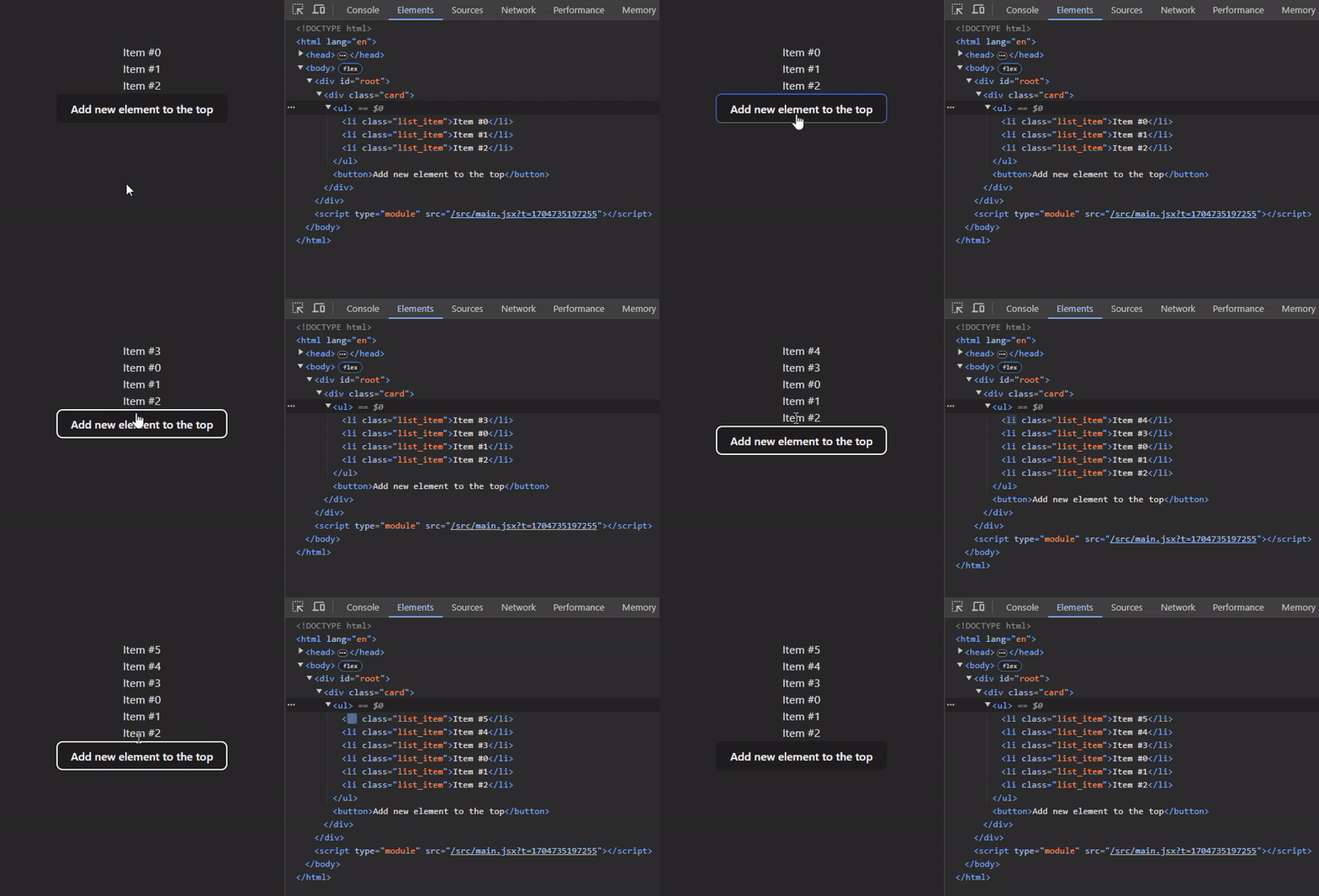
Repeat the same interaction. The new row starts with an empty input and Item #0 keeps its original input and note. The new item has a new identity; existing IDs are unchanged even though their positions moved.
A stable key does not promise that only the new component function runs. Rendering, committing DOM changes and remounting are different operations. A parent update can render its children again while their identity, state and DOM are preserved. Memoization is a separate performance decision. Choose keys for correctness first.
Why does React need keys?
Imagine referring to desktop files only as first, second and third. Delete the first file and all the names change. A stable filename avoids that confusion. Keys play a similar role within one set of siblings; the same ID can be used in another list. The component type and its place in the tree still matter: moving a key to a different parent does not make state globally portable.
Resetting state on purpose
Sometimes a new identity is exactly what you want. A form for a different record may need a fresh draft instead of the previous record's local state:
<ProfileEditor key={selectedProfile.id} profile={selectedProfile} />
This is an integration fragment: ProfileEditor and selectedProfile belong to
the surrounding application. Switching IDs remounts that editor and discards its
local state. Use it deliberately; do not accidentally erase unsaved work on every render.
key is reserved for React and is not passed as an ordinary prop. If the child
needs the ID, pass a separate id prop. useId solves a different problem—connecting
accessibility attributes—and should not generate list keys.
For a grouped list item with no wrapper, use an explicit keyed Fragment; the
short <>...</> syntax cannot receive a key.
Try the identity check
- Mount one of the complete examples in a local React project.
- Enter a note and prepend an item. Check which label owns the existing input.
- Repeat with the stable-ID version. The note should remain with Item #0.
The original external experiment is still available as a separate link; the article no longer loads a third-party iframe automatically.